Snap your fridge.
Get recipes.
Take a photo of your fridge, pantry and spices. SnapCravings finds what you have and turns it into dinner tonight.
Free to try. Works in your phone's browser, or get the Android app. On iPhone? Add it to your Home Screen.Free to try. Open it in Safari, then add it to your Home Screen. See the 3 steps.


Three steps to dinner
Step 1
Snap it
Take a few photos of your fridge, freezer, pantry and spices.
 Step 2
Get recipes
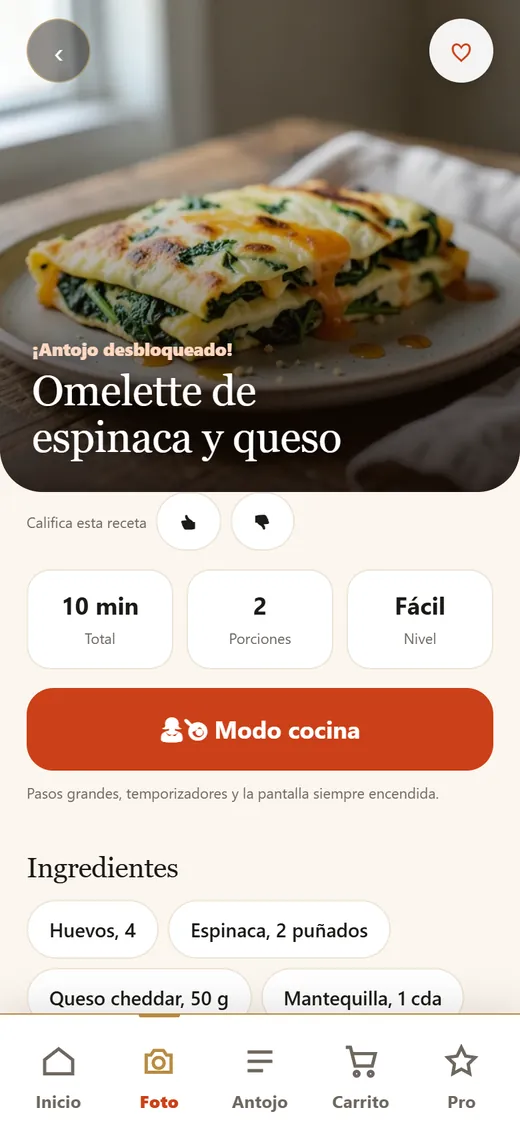
Recipes made from what you already have show up one by one.
 Step 3
Cook it
Follow clear steps, then save the ones you love to your cookbook.
Put it on your Home Screen
No App Store needed. Add SnapCravings from Safari and it sits on your Home Screen with its own icon.
Open this in Safari first. You're in another app's browser. Tap ••• or the Share button and choose Open in Safari, or copy the link and paste it into Safari.Add to Home Screen works from Safari. Copy the link and paste it into Safari.
- Open SnapCravings in SafariTap the button on your iPhone, or go to snapcravings.com in Safari.
Open SnapCravings - Tap ShareThe square with an arrow, at the bottom of Safari (top on iPad). Don't see it? Tap ••• first.
- Tap “Add to Home Screen”Scroll down the list if you need to, then tap Add. SnapCravings shows up with your other apps.
Tip: add it first, then start cooking. On iPhone the Home Screen app keeps its own cookbook, apart from Safari. The App Store version is coming.
Made for real weeknights
Use what you have, waste less food, and skip another pricey delivery order.
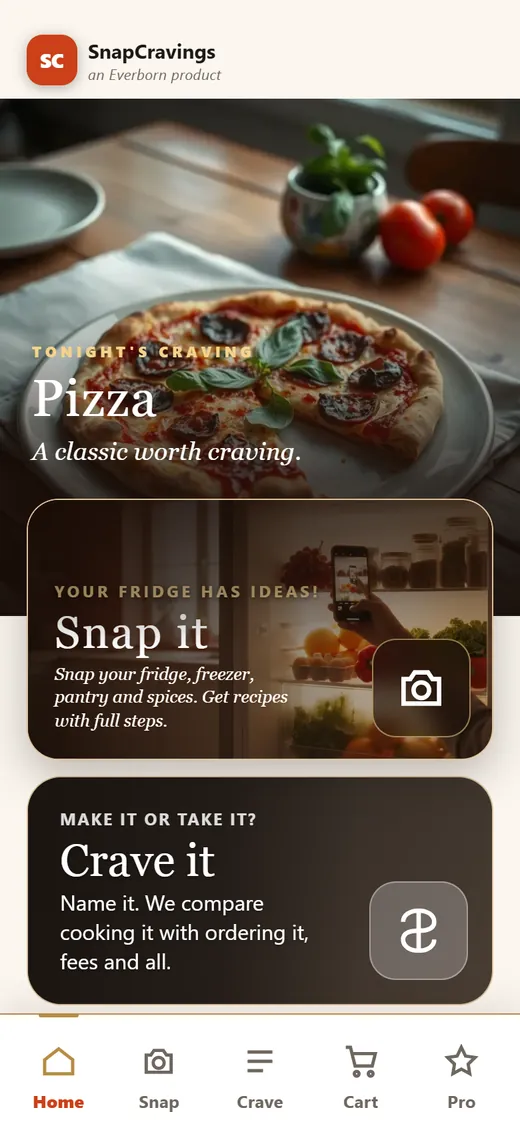
Snap your fridge
One photo of your fridge, pantry or spices starts dinner.
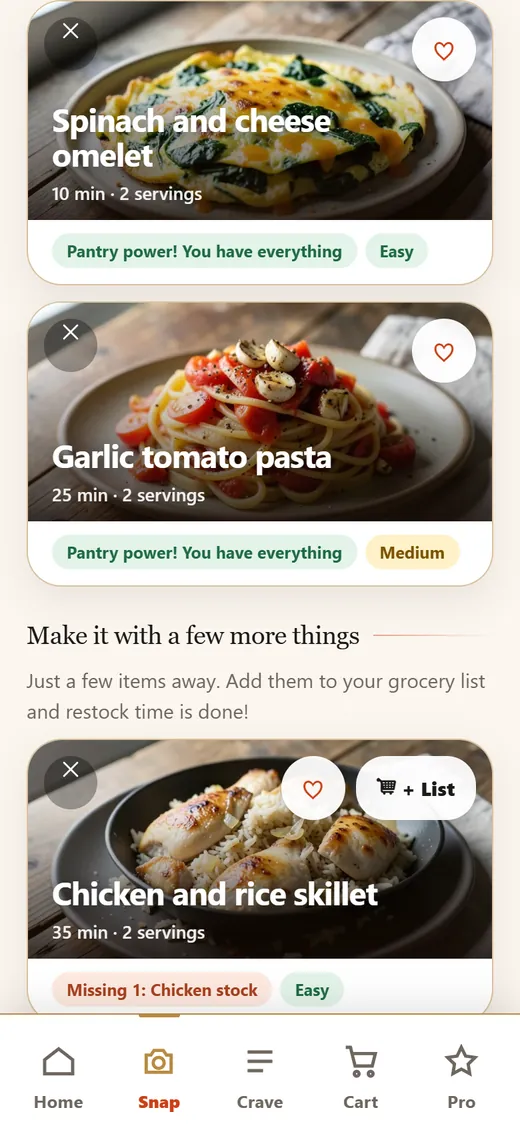
Recipes with photos
Ideas made from what you already have.
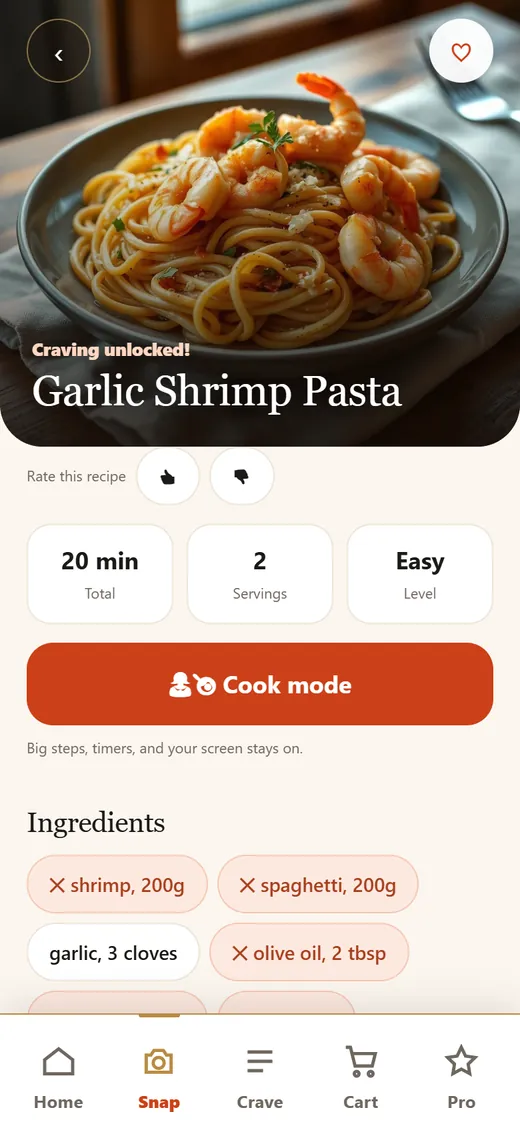
Crave it
Name a craving and get a recipe to cook at home.
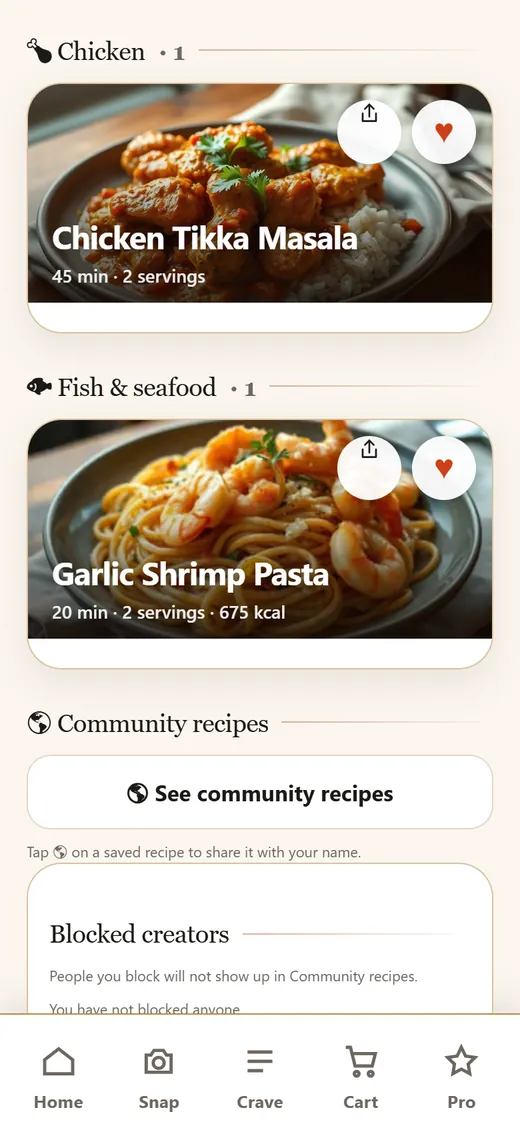
Your cookbook
Save favorites with one tap. They sort themselves.
15 languages
Español, Français, 日本語, 한국어 and more.
- Diet and allergy rulesSet your diet once. Allergies are hard rules; always check labels yourself.
- Cook mode Step photos with ProBig steps, timers, and your screen stays on.
- Grocery list ProWhat you're missing, in one list for the store.
- Meal prep Full week with ProA week of meals with one grocery list and a prep-day guide.
- Family sharing ProOne plan for you and up to 2 more people, in sync on every phone.
- Cook it or order it? ProSee a craving made at home next to delivery, fees, tax and tip included.
Free to try. Pro when you want more.
Start with 3 free fridge scans in your first month, then 2 a month. New Pro subscribers get a 7-day free trial. Cancel anytime.
Prices in US dollars. In the Android app, Google Play shows the price in your currency.
Pro unlocks
- Unlimited fridge scans
- Step photos while you cook
- The full meal-prep week
- Grocery list with price compare
- Dish scans for calories and macros (estimates)
- Delivery checkout breakdowns in Crave it
- The full holiday plan
- Family sharing for you and up to 2 more people
- Unlimited cookbook saves (free keeps up to 10)
Good to know
Is SnapCravings free?
Yes, to start. You get 3 free fridge scans in your first month, then 2 a month. Pro adds unlimited scans and more, with a 7-day free trial for new subscribers.
Do I need to install anything?
No. SnapCravings works in your phone's browser. On Android you can also get it from Google Play. On iPhone, add it to your Home Screen from Safari (see how). The App Store version is coming.
Do you keep my fridge photos?
No. Your photo is used to find your ingredients and write recipes, then it is not stored. The only photo we keep is one you choose to add to a recipe you share. The Privacy Policy has the details.
Can I trust the allergy settings?
Allergies you set are treated as hard rules, so recipes leave those foods out. Always check labels yourself.
Can my family use my Pro plan?
Yes. One Pro plan covers you and up to 2 more people. Invite them with a link or code.
How do I cancel?
Cancel anytime. If you subscribed in the Android app, cancel in Google Play.
How do I delete my data?
See Delete my data for the steps.
Cook something great? Share it.
Share your recipes in SnapCravings with your name and link on each one.
What's for dinner?
Your fridge already knows. Snap it and see.